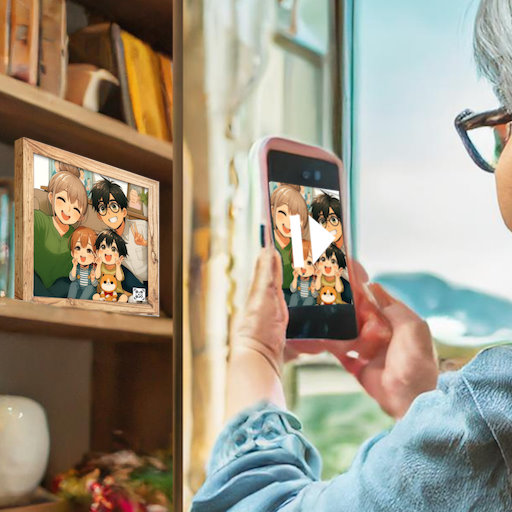
No app to install: everything happens in the phone's browser.
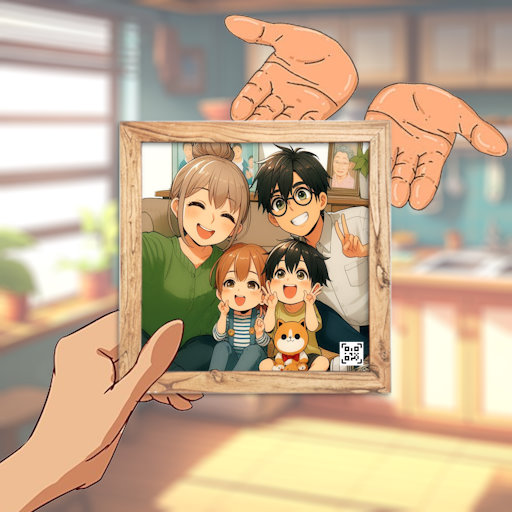
POPcard links a video to a printed image: a photo, a card, a poster, a magazine page…
When someone scans the QR code and points their phone at the image, the video appears on top of it, right in place: the image comes to life through augmented reality.
Everything happens in the phone's browser. People discovering your POPcard have no app to download and no account to create.
How POPcard works
1. A target image
The image you print is the anchor: the phone recognizes it through its camera.
2. A QR code
Printed on the image, it opens your POPcard in one move, on any recent smartphone.
3. Your video
It is overlaid on the image and follows it as the phone moves.
What makes POPcard different
No app
A browser is enough, on iPhone and Android alike. Camera access is all it asks for.
Ready in minutes
Upload an image and a video to POPcard.live: the POPcard is generated, ready to print.
Customizable
With the advanced editor: cover page, welcome text, decorative frame, QR code position and size, appearance transition, video transparency (green screen).
Video, and even 3D
A video by default; professionals can also display 3D models.
What you can do with it
A family photo that replays the moment it was taken.
A birthday card that delivers a video message.
An artwork that reveals how it was made.
A restaurant menu that shows its dishes on video.
A brochure that demonstrates a product.
Frequently asked questions
Do I need to install an app?
No. The POPcard opens in the phone's browser (Safari, Chrome…) when you scan the QR code.
Which phones are compatible?
Recent smartphones, iPhone and Android, with an up-to-date browser. Camera access is requested when it opens.
What do I need to create a POPcard?
An image (the one you will print) and a video. Upload them to POPcard.live, preview the result, then publish.
How much does it cost?
Creating and previewing are free; you pay when you publish. All offers are on the Pricing page.